The review queue
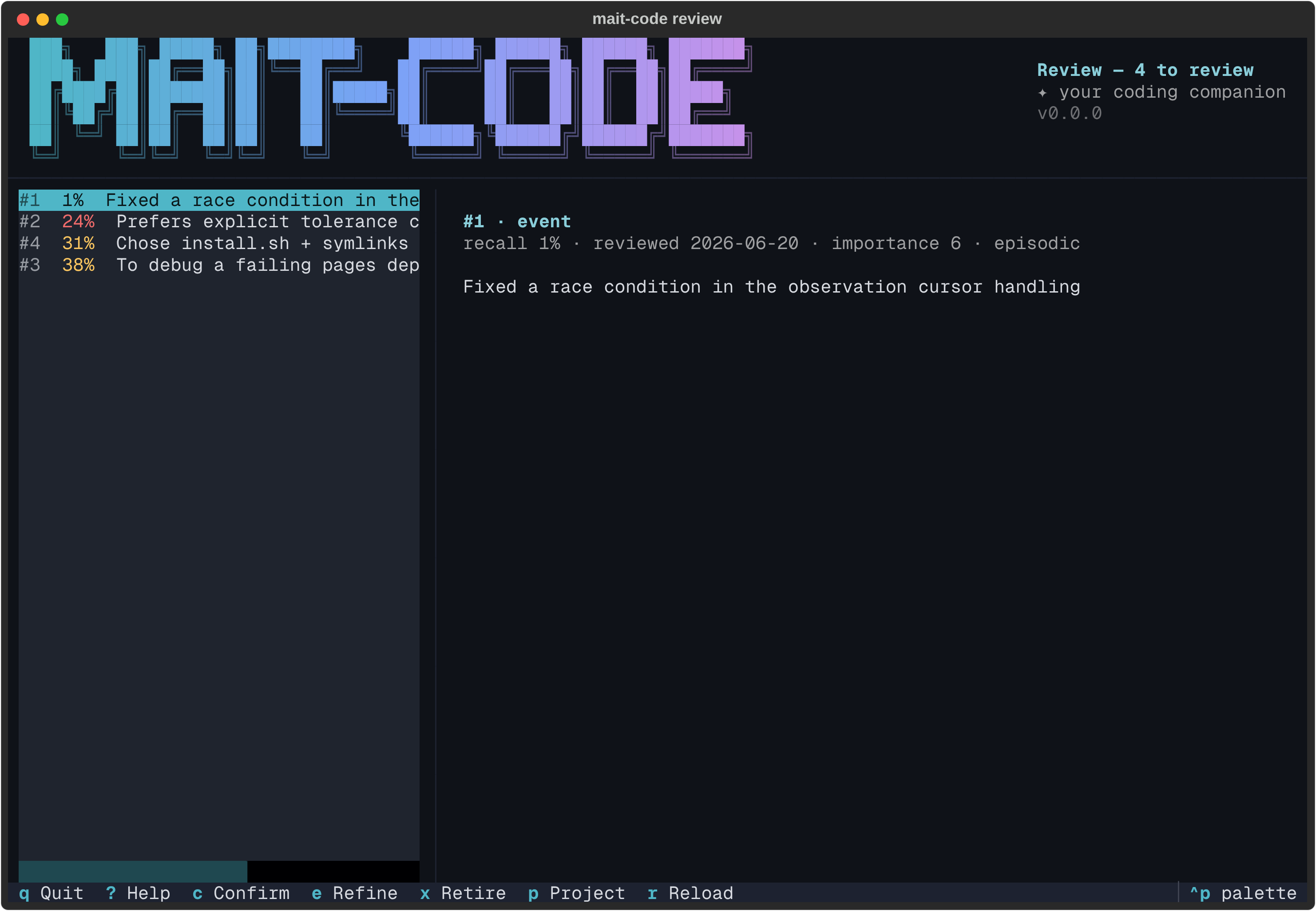
mait-code review is where you keep curated memory honest. Review
resurfacing surfaces
important-but-ageing memories — facts that have sat unchecked long enough to
have quietly gone stale — and this is the full-screen surface for working through
them: a queue of what's due on the left, the highlighted memory in full on the
right, and one keystroke each to confirm, refine, retire, or skip.
Why it exists
The home hub shows a Due for review count and lists what's
waiting, but — like everything in the hub — it only reads. Acting on the batch
used to mean dropping to the CLI, one id at a time: mc-tool-memory reviewed 12,
supersede 7 "…", retire 3. The review queue is the interactive counterpart:
work the whole batch in place, deciding each memory's fate with a single key,
without leaving the keyboard or memorising ids.
Each decision resets a memory's decay curve (or removes it), so reviewing an entry drops it out of the due set until a fresh half-life passes — the point of the exercise is to end at inbox zero for stale memory.
The layout
Three regions, top to bottom:
- The masthead — the shared brand banner, labelled Review, with the live
count folded into its subtitle (
Review — 3 to review, orall caught upwhen the queue is empty). - The body — the queue on the left, the detail pane (the wider share) on the right.
- The footer — the live key hints.
The queue
The queue lists every memory that's due — its recall probability has decayed
below the review threshold and
its importance clears the floor — ordered most-decayed first, so the memory
most in need of a look sits at the top. Each row reads #<id> <recall%> <first
line>, the recall badge tinted (amber, or red for the most-decayed) so the queue
is scannable at a glance.
Highlight a row and the detail pane renders it in full:
- a title —
#<id> · <type>, - a metadata line —
recall <%> · reviewed <date> · importance <1–10> · <class>, with the scope appended when it isn't global, - and the body, rendered as markdown (plain text is just a subset).
Recall leads because it's why the memory surfaced: the lower it is, the longer
since the memory was last reviewed. It's a decay curve, not a hit count — nothing
tracks how often a memory gets retrieved. Class sets the decay pace — semantic
(facts, preferences — slow), episodic (events — fast), procedural (how-tos —
slowest) — measured from when the memory was last reviewed rather than created.
The three decisions
Each verb operates on the highlighted memory and writes through the same store operation the CLI uses — nothing here is bespoke:
| Key | Decision | What it does |
|---|---|---|
c |
Confirm | Still true — stamp it reviewed, resetting the decay curve. Backs mc-tool-memory reviewed. |
e |
Refine | Still true but needs updating — edit it, and saving supersedes it with the new version. Backs supersede. |
x |
Retire | No longer true — drop it from recall (kept for audit). Backs retire, behind a confirm. |
Whichever you choose, the memory leaves the queue and the cursor advances to the next, the count ticking down as you go. When the last one's decided the pane switches to an all-caught-up state — you're done.
To skip, just move the highlight with ↑/↓ — nothing is written and the memory
stays in the queue for next time.
Refining a memory
Press e and the memory opens in an editor, prefilled with its current text:
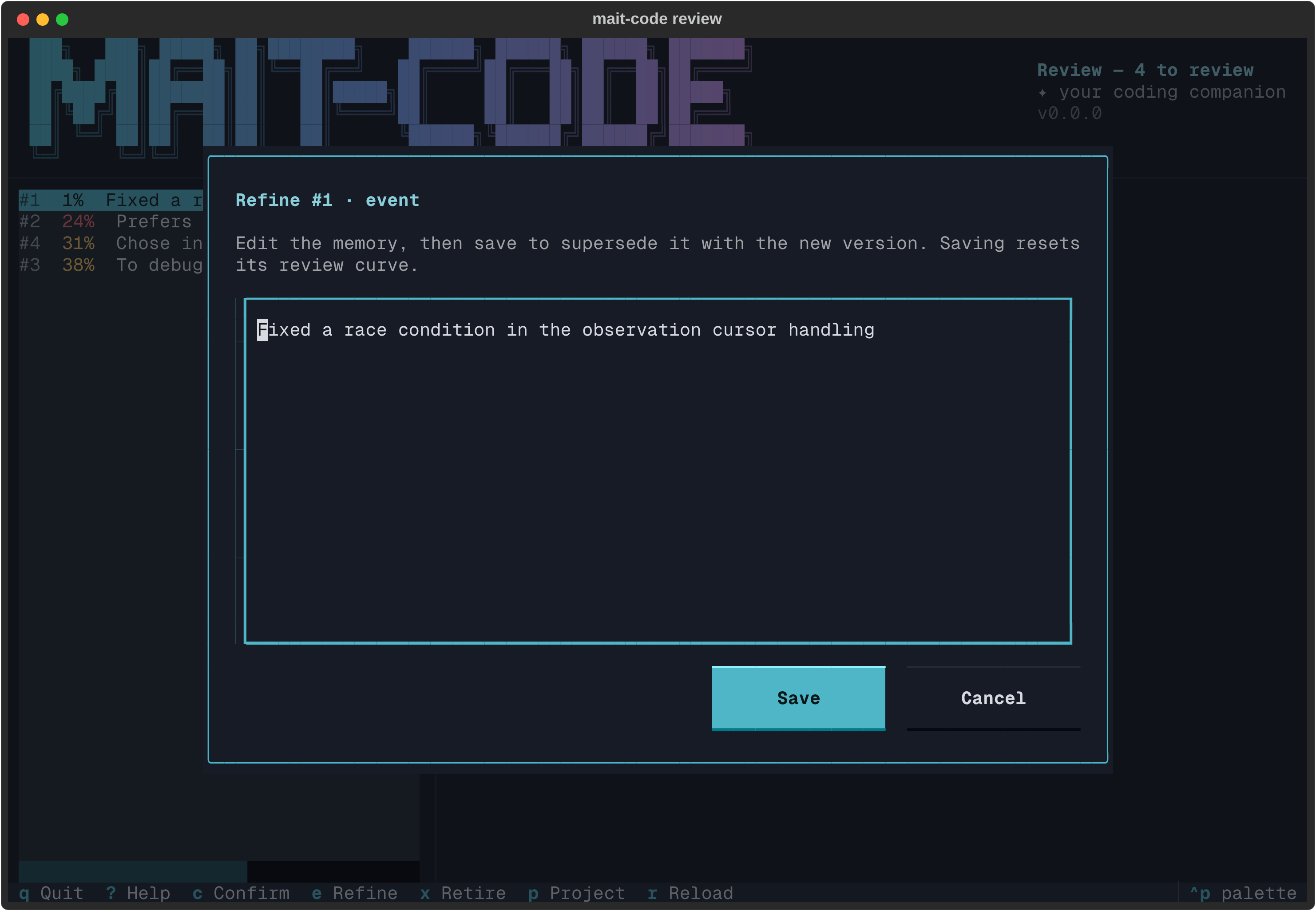
Edit it and press Ctrl+S (or Save) to supersede the old entry with your
revised version — the new entry inherits the old one's type and scope, and starts
its decay curve fresh, so it drops out of the queue too. Esc (or Cancel)
backs out without touching anything. Saving an unchanged body is a no-op — use
confirm for "still true as-is".
Retiring a memory
Press x to retire a memory that's no longer true and has no replacement. Because
this hides a fact from recall, it asks first; accept and the memory is dropped
(kept for audit, like a supersede's old row), decline and it stays in the queue.
Scope
By default the queue reviews every memory, across projects and scopes —
staleness is a whole-store concern. Press p to narrow to one project (globals
included), the same picker the memory browser uses; the masthead carries the
project name while the filter's active.
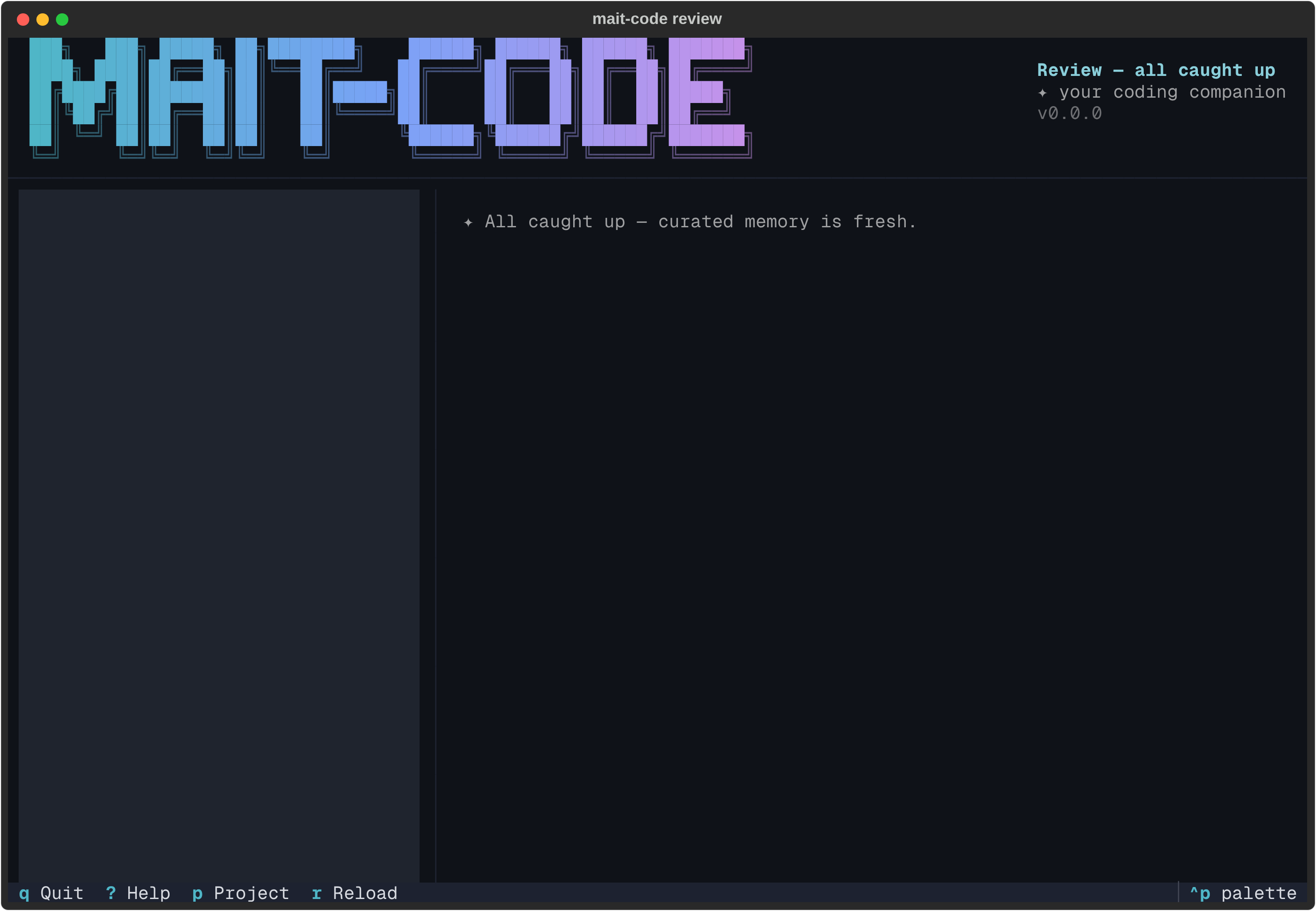
When the queue is empty
Nothing due — whether you've just cleared the batch or curated memory was already fresh — and the pane says so in the companion's voice, the per-item verbs dropping out of the footer since there's nothing to act on.
Off the terminal
Like the other TUIs, mait-code review only opens on a TTY. Piped or redirected,
it prints the due list as text — id, recall, first line, most-decayed first — so
it stays useful in a log or an SSH one-liner. mc-tool-memory review prints a
fuller record per entry (type, importance, class, recall, last-reviewed date and
a content excerpt) and caps at --limit 10, where the piped TUI lists every due
item.
Reference
Keys
| Key | Action |
|---|---|
| ↑ / ↓ | Move the highlight; the detail pane follows |
| c | Confirm — mark the memory reviewed |
| e | Refine — edit and supersede the memory |
| x | Retire — drop the memory from recall (asks first) |
| p | Narrow the queue to one project |
| r | Recompute the queue |
| ? | Key cheat-sheet |
| Ctrl+P | Command palette (incl. theme switching) |
| q / Esc | Quit |
See also
- How memory works — the decay and threshold model behind what's due.
- The home hub — the Due for review count and the
↗ Open reviewleaf that launches this surface. mc-tool-memory— thereview,reviewed,supersedeandretireverbs the queue drives.